- Free trial
- 24h
- Size
- 751 KB
- Android
- 7.0+
- Version
- 1.0.0
1-day free trial · No card required
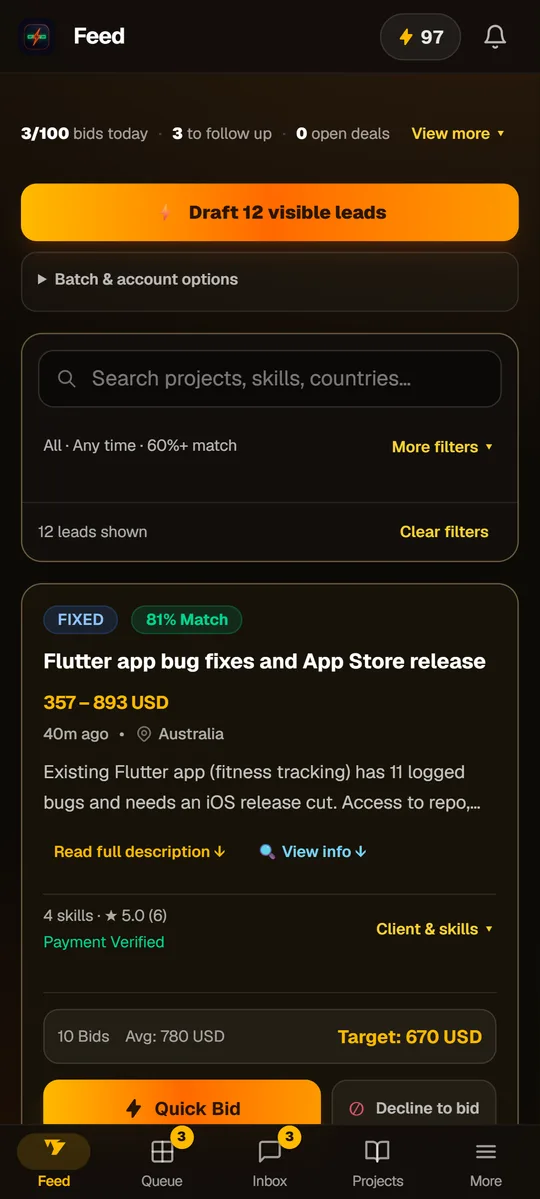
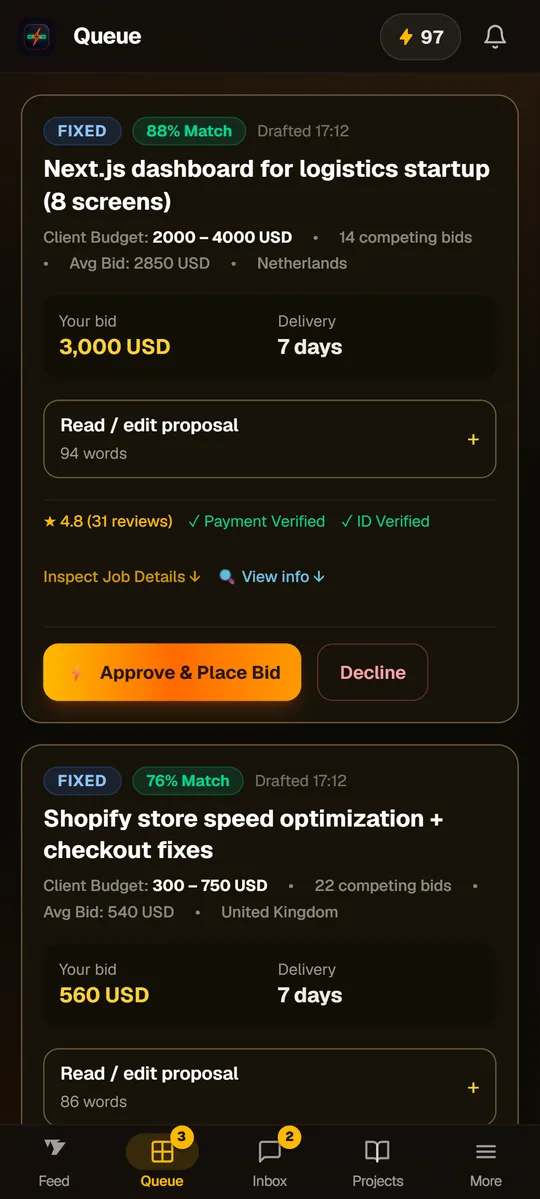
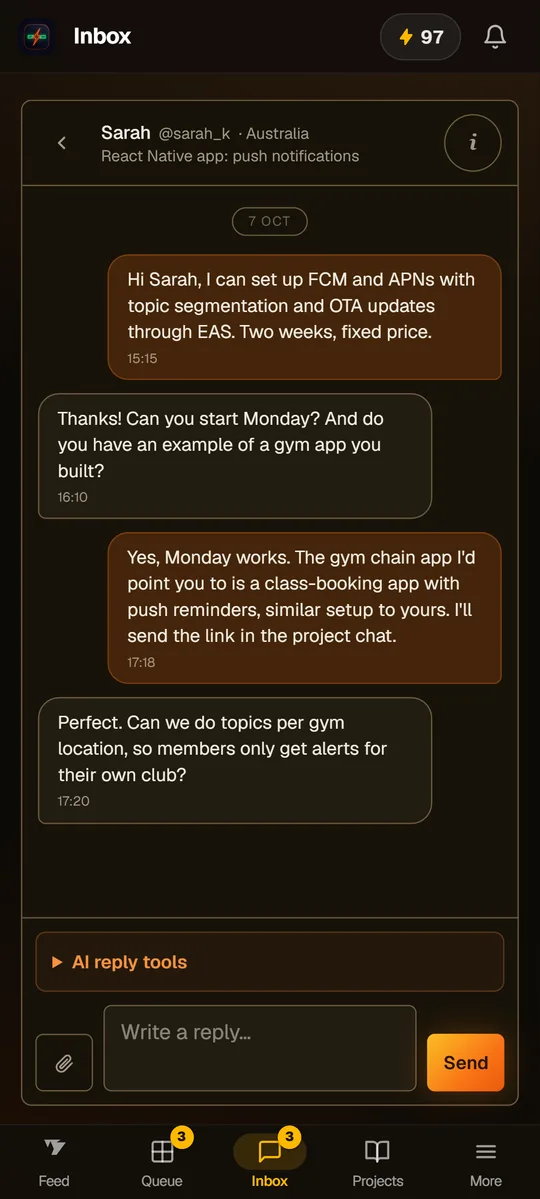
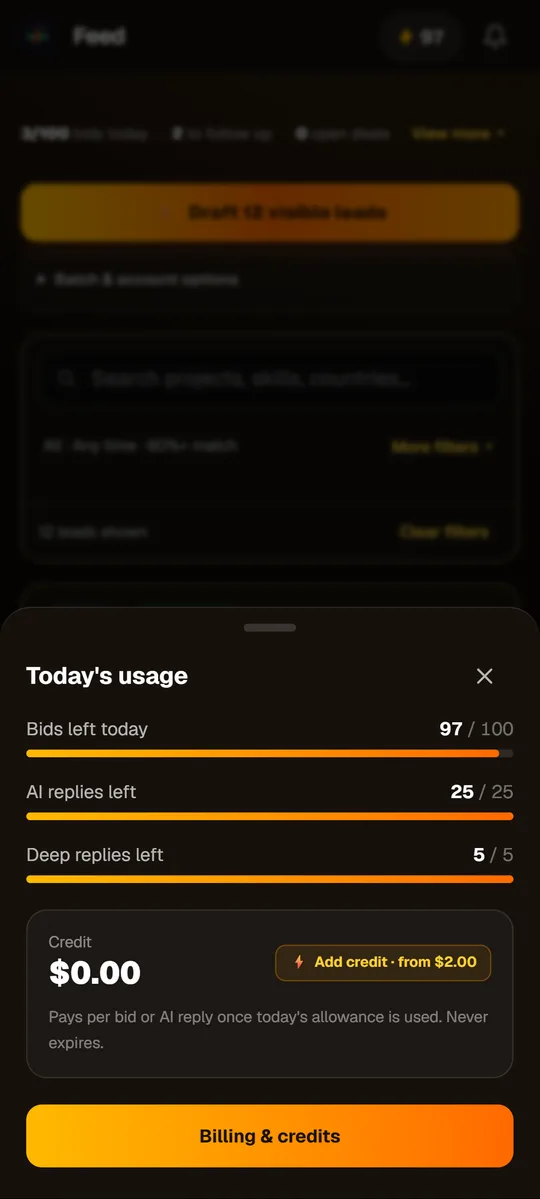
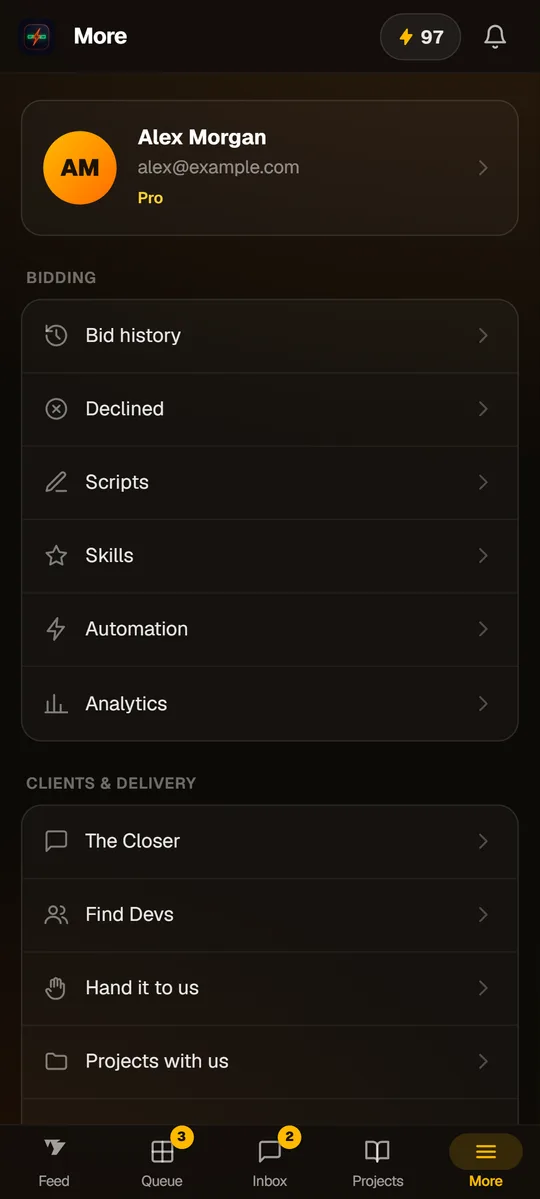
Screenshots show sample data.
About this app
DealPrinter turns Freelancer.com into a deal machine you run from your phone. It scores every new project against your profile, drafts the proposal in your voice, and places the bid only after you approve it.
Scored leads
Every new project scored 0–100 against your profile.
Voice proposals
Tailored proposals drafted in your tone and voice in seconds.
One-tap approval
Bids placed through official API only after you tap approve.
Client inbox
Every client conversation in one place, with AI reply drafts you edit before sending.
Alerts
Notifications for new client messages and bids waiting for you, when you switch them on.
What's new
Updated 7 Oct 2026- A redesigned app: a one-row header, a full More page, and badges on Queue and Inbox.
- A usage panel with your bids, AI replies and credit, one tap from every screen.
- Clear empty screens and fewer steps on the Feed, Queue and Inbox.
Permissions & privacy
- Two permissions only: internet, and notifications if you switch alerts on. No access to your contacts, location, camera or files.
- Bids go through the official Freelancer.com API, and only after you approve them.
- Your Freelancer token is stored encrypted on our server and used only for the actions you approve.
How to Install
1. Download the APK
Tap the download button above to download the official dealprinter-android-1.0.0.apk file.
2. Allow Installation
Open the downloaded file. If prompted by Android, tap Settings and enable 'Allow from this source'.
3. Open & Sign In
Open DealPrinter from your home screen or app drawer and sign in to your cockpit.
App information
- Version
- 1.0.0
- Updated
- 7 Oct 2026
- File Size
- 751 KB (750,725 bytes)
- Requires
- Android 7.0+
- Developer
- Volty
- Package name
- za.co.volty.dealprinter
- SHA-256 Checksum
- A3AA503D6AF1D13294A264709ABE0F9B17BEABE379EA2F3B1E090417F8B318E0
Questions
Why isn't it on Google Play?
For now, DealPrinter for Android installs straight from volty.co.za. The file is signed by Volty, and you can compare it with the SHA-256 checksum on this page.
Do I need a new account?
No. Sign in with the account you use on the website, or create one in the app.
How do updates work?
Most improvements reach you automatically, because the app loads DealPrinter from volty.co.za. If the app itself needs an update, the new file will be on this page.
Can it bid without me?
No. Every bid waits in your Queue until you approve it.